
Slash BEC Exposure

In 2025, Business Email Compromise accounted for 71% of Cyber Threats.


Key Benefits

Benefit Rationale
Mitigate
Phishing Risk
:
Most staff do not require public-facing e-mail. Reduce the number of public addresses to limit the attack surface. For internal communications and to message suppliers, clients, as well as our Customer Service/Tech Support, this is included with every package.
Encrypted Communication: Messaging is only accessed through our Portal. Login in through our Key-Based 2-Factor Authentication app. In addition, all messages: Inbox, Sent Items and Message Threads use strong encryption, with a unique encryption key and separate database per client.
More Efficient than Major E-Mail Platforms: AdaptiveMessaging produces immediate efficiency savings. Save countless hours clearing out Sent Items.

Competitor e-mail platforms display every outgoing e-mail in Sent Items, which creates duplication for message threads by saving each as a Sent Item AND as a Message Thread, leading to wasted hours managing and clearing out Sent Items. AdaptiveMessaging saves only the first Sent Item, with the rest visible inside Message Threads.
Undo Mistakes: Correct the initial message, responses and recipients as often as required.

Once external e-mail is sent, this action cannot be undone. We have all CCed or BCCed the wrong person, or wished we had noticed typos before sending. AdaptiveMessaging allows full message editing: CC and BCC lists, as well as message content.
Risk & Control Framework: AdaptiveMessaging includes an audit trail: An essential component of any risk and control framework.

It allows for independent oversight and the ability to trace any questionable behaviour. It also provides evidence for any regulatory, compliance or legal activity.

Secure, Efficient Messaging

Slash cyber risk and improve communication and collaboration, with teams, clients and suppliers


messaging-threads
Real-Time Encrypted Messaging
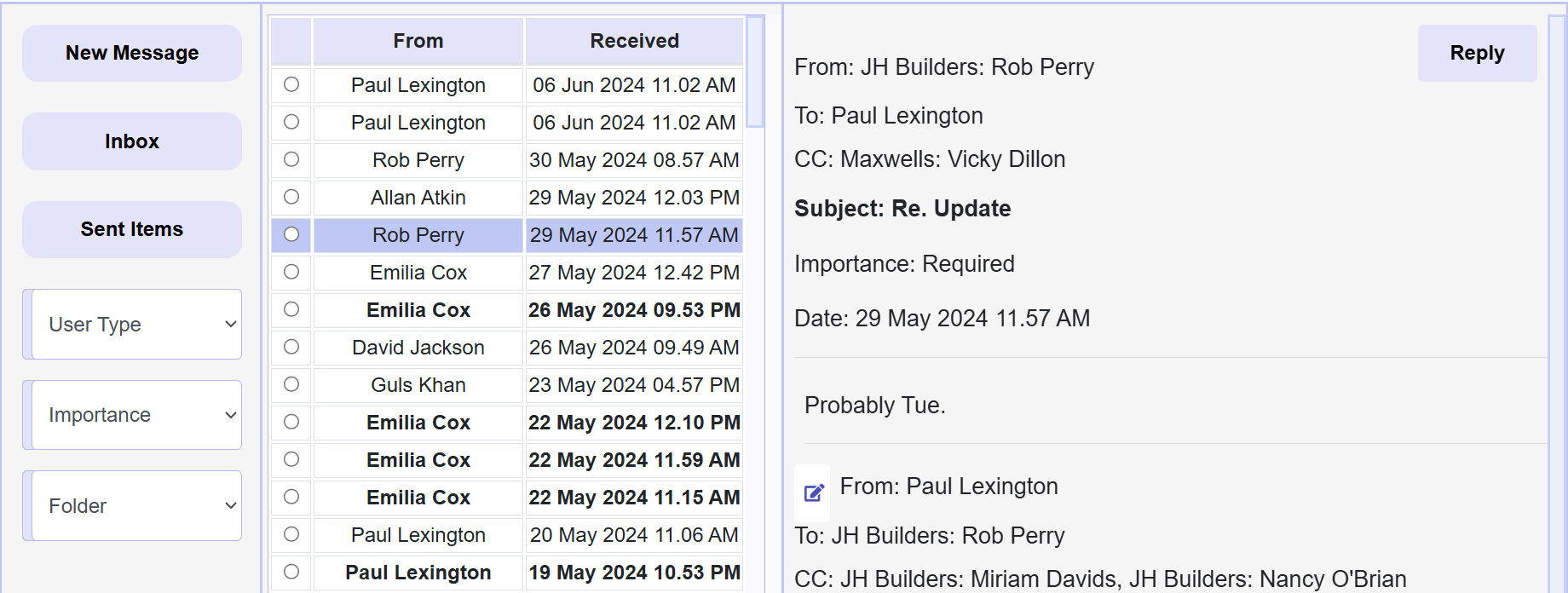
  • Overview: Message Teams, Clients, Suppliers and Adapative. Each message is encrypted. It includes an Inbox, Sent Items and Message Threads, with CC, BCC and Edit. Unread messages are highlighted. Click a message to see full threads or reply

  • Improved Efficiency: Only the first message appears in Sent Items: the rest are in Message Threads, saving countless hours managing Sent Items


Message Editing
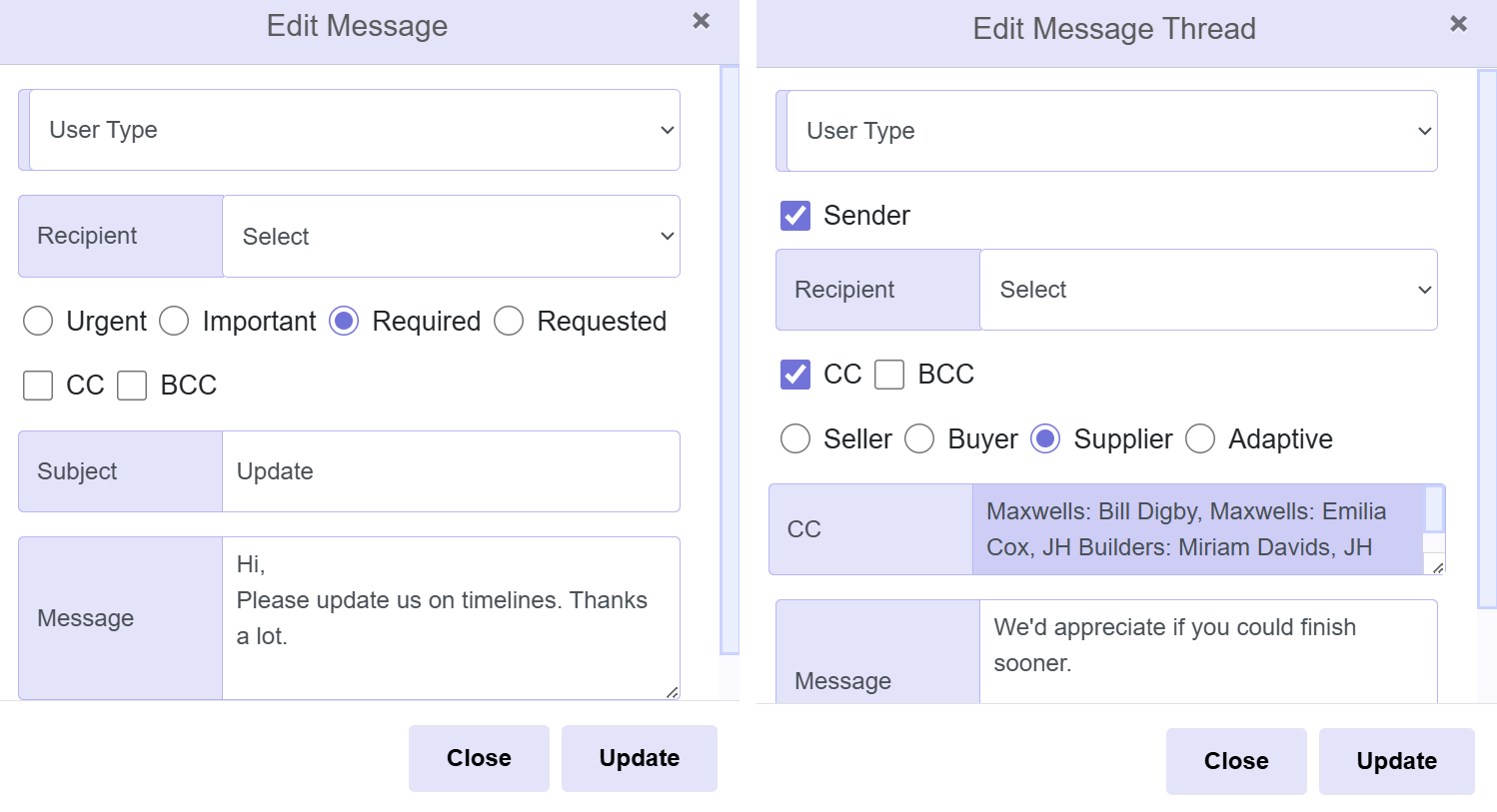
  • The Danger of E-Mails: Humans make mistakes! We have all CCed or BCCed the wrong person and only realised after an e-mail has been sent. Mistakes in e-mails cannot be undone

  • Adaptive's Solution: With Adaptive you can edit the Recipient, the CC and BCC list, as well as message content for the initial message, or any message within message threads (chains). Changes reflect instantly in the recipient dashboard
messaging-edit


messaging-folders
Folders
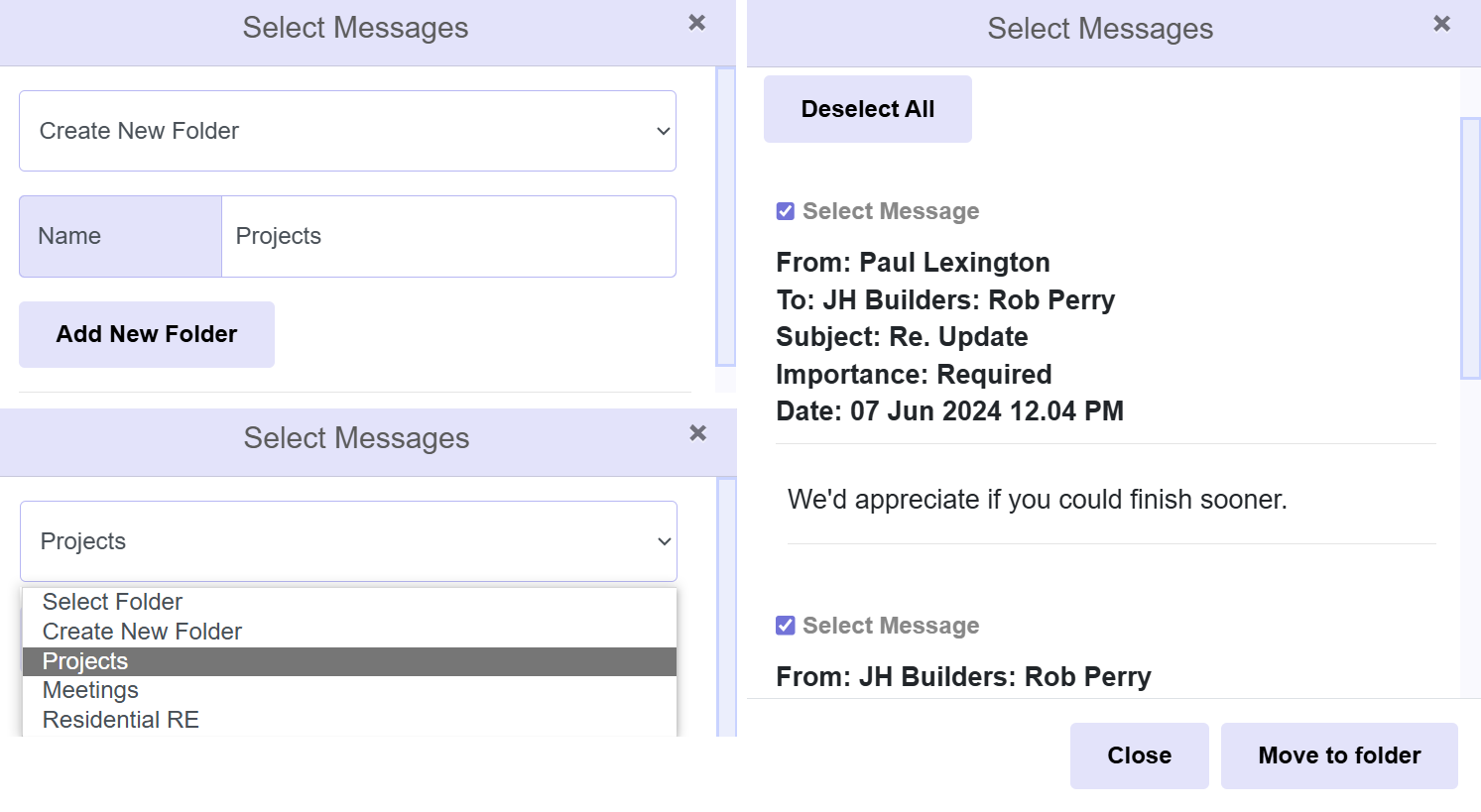
  • Unlimited Folders: Each user can create an unlimited number of folders, to organise messages by topic

  • Organisation: Select a Folder, or Create a New Folder. Click on a message and move part of a thread, or the entire thread to any folder

  • Unique View: Folders are specific to each user, so other users in a message chain are not impacted if a single user moves the message to a folder


Audit Trail
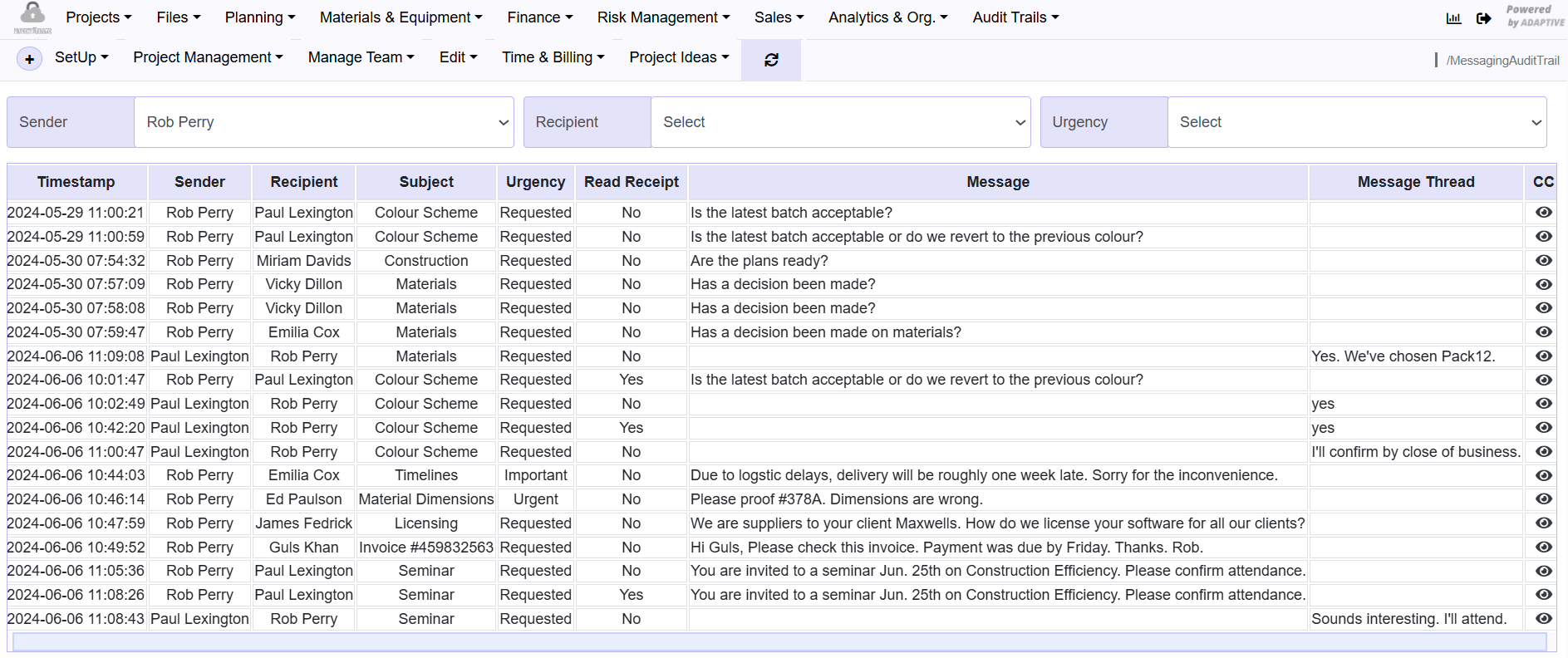
  • Track All Activity: Every action, whether a new message, the list of CCs and BCCs, who has viewed a message, plus all message content, is kept separately in an audit trail. It includes numerous filters

  • Delete: Only the person sending the first message can delete the message. However, a copy remains in the audit trail. Other users can file away old messages to folders
messaging-audit-trail

Return to Main Menu


Request a demo or consultation